
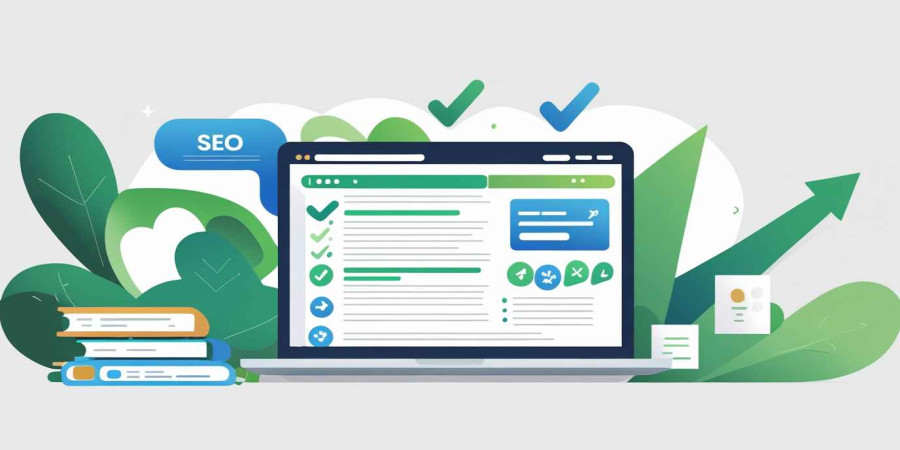
How to make seo friendly article Better for search results
You know that feeling when you pour your heart and soul into a piece of writing? You spend hours researching, crafting the perfect sentences, and checking your facts. You hit "publish" with a sense of pride, imagining the comments rolling in and the shares spiking. And then… crickets. Silence. Maybe your mom reads it (thanks, Mom), but otherwise, it’s like you shouted into a void. It’s frustrating, right? It feels unfair. But the hard truth of the internet is that "good" writing is only half the battle. The other half is making sure people can actually find it.
This is where the magic and sometimes the headache of SEO comes in. SEO, or Search Engine Optimization, sounds technical and robotic, like something you need a degree in computer science to understand. But at its core, it’s really just about communication. It’s about speaking the same language as the search engines so they can introduce you to the people looking for your answers. It’s not about tricking Google; it’s about clarity. If you can bridge the gap between your creative flair and technical structure, you turn a ghost town blog into a bustling hub of activity.
Before we even type a single word, we have to stop and think about the person on the other end of the screen. Who are they? What are they stressed about? What problem are they trying to solve at 2:00 AM? This is the concept of "User Intent," and honestly, it is the most critical piece of the SEO puzzle. Old-school SEO was all about stuffing a specific word into a page fifty times. It read terribly, like a broken record.
Modern SEO is smarter. Google wants to know if you are actually helpful. Are you answering the question? If someone searches for "how to bake sourdough bread," they don't want a 2,000-word essay on the history of wheat in ancient Egypt. They want a recipe and some tips on how to keep their starter alive. If you give them the history lesson instead of the instructions, they will leave your site immediately. That "bounce" tells Google your article wasn't a good match, and down your rankings go. So, step one is always empathy. Put yourself in the reader's shoes.
Once you know who you are writing for, you need to find the specific words they use to search for your topic. This is keyword research, but I prefer to think of it as listening to a conversation. You can’t join the discussion if you don’t know what people are talking about. You might call it "frugal gardening tips," but everyone else is searching for "cheap ways to grow vegetables." If you don't use their vocabulary, you're invisible.
You don’t need expensive tools to start this. Just go to Google and start typing your topic. Look at the autofill suggestions. Look at the "People also ask" section. These are gold mines. They are literally Google telling you, "Hey, this is what people are curious about." When you choose a primary keyword, don't just pick the most popular one. If you try to rank for "shoes," you are fighting against Nike and Amazon. You will lose. But if you try to rank for "best running shoes for flat feet," your competition is smaller, and your audience is much more specific. That’s the sweet spot.
Okay, you have your topic and your keywords. Now comes the actual writing. This is where a lot of people get tripped up by their own tools. If you write directly into WordPress or your website’s backend, you get distracted. You start fiddling with the font size, or looking at the sidebar, or worrying about the SEO plugin’s red light staring at you. It kills your creative flow.
I highly recommend separating the writing process from the publishing process. Use a simple, clean tool to get the words out. Opening a blank Online Notepad allows you to focus purely on the text. There are no plugins judging you, no formatting distractions, just you and the words. It helps you write naturally. If you write for the algorithm first, you sound like a robot. If you write for humans first using a distraction-free Online Text Editor you capture a voice that engages people. You can always go back and tweak the keywords later. The priority should always be creating a narrative that flows and provides real value.
Let’s talk about your headline. It is the single most important sentence in your entire article. You could write the cure for the common cold in the body of your text, but if your headline is boring, nobody is going to click on it to find out. David Ogilvy, the famous advertising tycoon, once said that on the average, five times as many people read the headline as read the body copy.
Your headline needs to do two jobs at once. First, it needs to tell Google what the page is about (this is where your main keyword goes). Second, it needs to make a human being feel something curiosity, excitement, or relief. "How to Clean a Carpet" is a functional headline. It’s fine. But "How to Save Your Carpet from Red Wine Stains in 5 Minutes" is compelling. It promises a specific result and addresses a pain point. However, avoid clickbait. Don't promise something you can't deliver. If you trick people into clicking, they will leave angry, and that hurts your reputation and your SEO in the long run.
Have you ever opened a web page, seen a massive, unbroken block of text, and immediately closed the tab? I definitely have. It looks like a textbook, and nobody wants to read a textbook for fun. Online reading is different from reading a novel. We scan. We scroll. We look for the information we need, and we want to find it quickly.
To make your article SEO friendly, you need to break it up. Use subheadings (H2s and H3s) liberally. Think of these subheadings as signposts on a highway. They tell the reader (and the search engine bots) exactly what the next section is about. If I’m skimming your article, I should be able to read just the subheadings and still understand the main points of your argument.
Keep your paragraphs short. Three to four sentences max. This creates "white space" on the screen, which gives the eyes a place to rest. It makes the content feel less intimidating and easier to digest, especially on mobile phones where screen real estate is limited.
Imagine the internet is a giant spiderweb. If your article is a single thread floating in the wind, it’s weak. It needs to be connected to other threads to be strong and stable. This is what linking does. It connects your content to the rest of the web.
There are two types of links you need to care about. First, internal links. These are links that go to other pages on your own website. If you are writing about "SEO tips," and you previously wrote an article about "Keyword Research," link to it! It keeps readers on your site longer, which signals to Google that your site is interesting. It also helps Google’s bots crawl your site and find all your pages.
Second, external links. These go to other websites. Some people are scared to do this because they don't want to send visitors away. But linking to high-quality, authoritative sources (like a university study or a major news outlet) actually builds trust. It shows you’ve done your homework. It tells Google, "I am associating my content with this reputable information."
We often forget that Google can’t "see" images the way we do. When you upload a photo, Google sees a file name and some code. It doesn’t know if that picture is a cute puppy or a graph of the stock market. You have to tell it.
This is where "Alt Text" comes in. Alt text is a short description of the image that you add in your website settings. It’s crucial for accessibility it tells screen readers what the image is for visually impaired users. But it’s also a great place to help search engines understand the context of your page. If you have an image of a notepad, don’t just leave the file name as "IMG_5543.jpg." Rename it to "online-notepad-for-drafting.jpg" and set the alt text to "A clean online notepad interface for writing drafts."
Also, keep your file sizes small. We discussed this in the context of speed, but it relates to SEO too. Giant images slow down your page, and slow pages don't rank well. It’s all connected.
Formatting is a huge part of readability. While we want to keep the flow conversational, sometimes you just need a list to make things clear. When you have a set of data, steps, or features, using a list breaks up the visual monotony and helps the reader process information faster.
Here are the key technical elements you should verify before hitting publish:
There was a time when you could game the system. You could write garbage content, stuff it with keywords, buy a bunch of spammy links, and rank #1. Those days are gone, and honestly, good riddance. Google’s algorithms are now incredibly sophisticated. They use AI to understand nuances, sentiment, and actual value.
The most important metric today is "Engagement." If people come to your page and stay there to read the whole thing, that is a massive thumbs-up to Google. If they share it on social media, that’s another vote of confidence.
So, how do you keep them reading? You have to provide value. You have to answer the question better than anyone else. Add your own unique perspective. Don't just regurgitate what Wikipedia says. If you are writing about a software tool, test it yourself and share screenshots. If you are writing about a life experience, tell a personal story. Authenticity is the one thing AI and algorithms can't fake. Real human insight is your biggest competitive advantage.
Let’s be real: most people on the internet have the attention span of a goldfish. If your writing is dense, academic, and full of jargon, you will lose them. You might be the smartest expert in the room, but if you can't explain your concepts simply, your SEO will suffer.
There are tools like the Hemingway App that can check your "readability score." Ideally, you want to aim for a Grade 6 to Grade 8 reading level. This doesn't mean you are dumbing it down; it means you are making it accessible. Use active voice. Instead of saying "The article was written by the author," say "The author wrote the article." It’s punchier and more direct.
Also, vary your sentence structure. Short sentences create tension and speed. Long sentences allow for explanation and flow. If every sentence is the same length, it becomes hypnotic and boring. Mix it up to keep the reader’s brain engaged. A conversational tone, like we are having a coffee together, builds a relationship. And relationships build loyal readers.
Here is a secret that many new bloggers miss: your old content is a gold mine. Just because you published an article two years ago doesn't mean it's dead. In fact, Google often loves older content that has been kept fresh.
Think about it. If you search for "best laptops," and the top result is from 2018, are you going to click it? No. You want the 2024 or 2025 guide. Information expires.
Make it a habit to audit your content every six months. Go back to your top-performing articles. update the statistics. Fix broken links. Add new sections based on recent developments. Maybe you mentioned a tool that doesn't exist anymore swap it out for a new one. When you update an article, Google crawls it again and sees that you are maintaining it. This can give you a massive boost in rankings, often faster than writing a brand new post from scratch. It’s efficient and effective.
Learning how to make an SEO-friendly article feels like a lot of work at first. And truthfully, it is. It adds time to your writing process. You can’t just dash off a thought and hit post anymore. You have to research, structure, optimize, and polish.
But the payoff is worth it. Instead of your content disappearing into the digital abyss after 24 hours (like a social media post), SEO content builds over time. It’s an investment. An article you write today could still be bringing you thousands of visitors three years from now, while you are sleeping or on vacation.
Don't get overwhelmed by the technical details. Start with the basics. Focus on the user. Write helpful, clear, and engaging content. Use tools like an Online Notepad to clear your head and draft freely. Then, apply the optimization layer on top. If you consistently show up and provide value, the rankings will follow. So, take a deep breath, find your keywords, and start writing. The world is searching for what you have to say.
Popular articles

Jul 11, 2024 12:47 PM

Sep 25, 2024 09:47 AM
Aug 19, 2025 08:13 AM
Apr 18, 2025 01:10 PM

Aug 01, 2025 11:19 PM
Categories
Comments (0)