
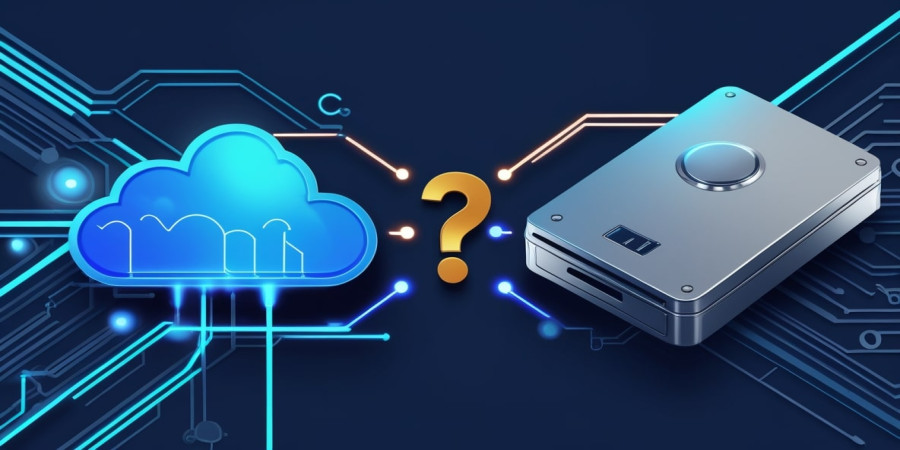
Cloud Backup vs. External Hard Drives: Which Is Better for Your Data?
Cloud Backup vs. External Hard Drives: Which Is Better for Your Data? That is the million-dollar question every gamer faces eventually. Usually, it happens right after a mini-heart attack. You know the one: you boot up your PC, ready to grind out some ranked matches or finally beat that boss you’ve been stuck on for three days, and… nothing. A corrupted file error. A clicking sound coming from your tower. Or maybe just the ominous "No Boot Device Found." In that split second, your entire digital life flashes before your eyes save files, thousands of screenshots, that funny clip of your buddy failing a jump, and maybe even your tax returns if you use your rig for work.
We live in a golden age of digital hoarding. Games today aren't just 5GB anymore; they are 150GB behemoths. A single 4K recording of a play session can eat up terabytes faster than you can say "lag." So, where do you put it all to keep it safe? Do you trust the invisible, floating fortress of the Cloud? Or do you put your faith in a chunky, blinking brick of plastic sitting on your desk? It’s not just a technical choice; it’s a lifestyle choice. Let’s break it down, gamer to gamer, without the boring manual-speak.
Let’s start with the classic. The external hard drive (HDD) or, if you’re feeling fancy and flush with cash, the external Solid State Drive (SSD). There is something undeniably satisfying about owning your backup. You buy it once, you plug it in, and boom you have storage. It’s tangible. You can hold your data in your hand. For a lot of us who grew up buying physical game discs, this appeals to our collector’s brain.
The biggest win here is speed. Pure, unadulterated speed. If you are a content creator or someone who likes to mod games until they break, you know the struggle of moving files. Trying to transfer a 50GB mod pack over the internet? You might as well go make a three-course dinner while you wait. But with a USB-C or Thunderbolt external drive? It’s done before you can even grab a soda. For restoring large game libraries (like when you get a new PC and don't want to re-download 2TB of Steam games), a local drive is the undisputed king. It doesn't care if your internet is down or if your ISP is throttling you. It just works.
However, relying solely on an external drive is like putting all your loot in one chest and leaving it in the middle of a PVP zone. Physical drives have a mortal enemy: the real world. I had a buddy, let’s call him Dave. Dave was smart. Dave backed up everything to a 4TB external drive. Dave felt safe. Then, Dave’s cat decided the drive looked like a toy and knocked it off the desk while it was spinning. Click, click, whirrrr. Dead.
That’s the risk. Mechanical drives (HDDs) have moving parts. If you drop them, they die. Even SSDs, which are tougher, can’t survive a house fire, a flood, or a thief breaking in and stealing your backpack. Plus, let’s be honest with ourselves we are lazy. The "human error" factor is huge here. How often do you actually plug that drive in and run a backup? Once a week? Once a month? "I’ll do it tomorrow"? If your PC crashes the day before your scheduled backup, you’ve lost a month of progress. An external drive is only as good as your memory to use it, and if you’re like me, you probably forget things constantly.
On the other side of the ring, we have the Cloud. The invisible safety net. Services like Backblaze, Google Drive, OneDrive, or Dropbox. The philosophy here is completely different. It’s "set it and forget it." You install a tiny piece of software, tell it which folders matter (Documents, Saves, Clips), and then you never touch it again. It runs in the background, quietly uploading every new file while you sleep or play.
For gamers, this peace of mind is addictive. Did your PC explode? Who cares. Buy a new one, log in, and download your stuff. Did your house get hit by a meteor? You might have bigger problems, but at least your digital data is safe on a server farm in a bunker somewhere in Arizona. The Cloud is immune to local disasters. It’s also fantastic for versioning. You know when you accidentally save over a file, or a mod corrupts your save game? Good cloud services keep a "history" of your files. You can literally turn back time and restore the version from yesterday morning, before everything went wrong. That is a superpower a physical hard drive just doesn't have unless you are manually creating new folders every single day.
But and there is always a "but" the Cloud isn't perfect. First, there is the cost. It’s a subscription. You stop paying, you lose your data. It’s a rental model, and we all know how much gamers love subscriptions (looking at you, Battle Passes). Over five or ten years, paying $10 a month adds up to way more than the cost of a couple of 4TB drives. You are paying for the service, the electricity, and the security, not just the storage space.
Then there is the bandwidth issue. This is the big one for us. If you have a data cap on your home internet, cloud backup can be a nightmare. Uploading terabytes of raw 4K gameplay footage will not only choke your bandwidth making your ping spike in-gamebut it might also get you an angry letter from your ISP. And recovery? If your hard drive fails and you need to download 2TB of data from the cloud, you are looking at days, maybe weeks, of downloading depending on your connection speed. It’s not instant gratification. It’s a slow, steady drip.
This is where the debate gets spicy. Security. With an external drive, security is simple: if you have the drive, you have the data. You can encrypt it with a password (and you absolutely should), but ultimately, it’s in your physical possession. No hacker in Russia can steal your files from a hard drive that is sitting unplugged in your drawer. It is "air-gapped," as the security nerds say.
Cloud storage requires trust. You are handing your data to a corporation. Now, most reputable companies use heavy-duty encryption. They scramble your data so that even their own employees can’t read it. But breaches happen. Passwords get stolen. If someone guesses your password and you don't have Two-Factor Authentication (2FA) on, they can download your entire life from anywhere in the world. However, there is a flip side. Cloud services are amazing at protecting you from Ransomware. If a virus locks your PC, it might also lock your attached external drive. But a good cloud backup service will see the infection and let you restore your files to the state they were in an hour before the virus hit. It’s a trade-off: physical security vs. protection against cyber-attacks.
Okay, I’m going to let you in on a secret. The smartest people don't choose. They cheat. They do both. In the IT world, this is called the 3-2-1 Rule, and it is the gold standard for a reason. It sounds technical, but it’s actually super simple for a gamer to set up.
Here is how it works: You keep 3 total copies of your data. You store them on 2 different types of media (like your PC's internal drive and an external USB drive). And you keep 1 of those copies off-site (the Cloud). Why do this? Because it covers every base.
We need to talk about a specific type of data: Game Saves. Most of us rely on Steam Cloud, PS Plus, or Xbox Cloud Saves. These are fantastic, but they are syncing services, not backup services. There is a difference. If you accidentally delete a save file in-game, the sync service says, "Oh, you deleted that? Okay, I'll delete it from the cloud too." Poof. Gone.
Real cloud backup (like Backblaze or iDrive) is different. It backs up the actual file structure. So if Steam sync messes up (and it does happen, usually with conflicts between playing on a Steam Deck and a PC), having a real backup allows you to manually grab the old save file and paste it back into the folder. I cannot tell you how many times this has saved me in RPGs where a glitch corrupted my 80-hour save file. Don't rely solely on the platform's built-in sync. It’s a convenience feature, not a fail-safe.
If you are still on the fence and just want the "TL;DR" version, here is a breakdown of who wins in the battle of Cloud Backup vs. External Hard Drives based on what you actually care about.
Here is a creepy thought: Bit Rot. It sounds like a zombie movie disease, but it’s real. Magnetic media (like hard drives) degrades over time. The magnetic charge that holds your zeros and ones eventually weakens. If you leave a hard drive in a closet for 10 years and plug it in, there is a chance some files will be corrupted. SSDs need power occasionally to keep their data cells fresh.
Cloud providers handle this for you. They are constantly migrating data to new hardware, checking for integrity errors, and swapping out dying drives before they fail. When you store data in the cloud, you are paying them to fight entropy. With a physical drive, that battle is yours alone. You need to replace your drives every 5-7 years to be safe. If you are the type of person who still has a dusty hard drive from 2008 that you haven't checked in a decade, you might be in for a rude awakening when you finally plug it in.
Let's look at the lifestyle aspect. If you are a desktop gamer with a massive tower, having an external drive sitting on top of the case is no big deal. It lives there. But if you are a laptop gamer? Maybe you travel for work, or you take your rig to school. Do you really want to carry a dongle and a fragile hard drive everywhere you go?
External drives kill portability. There is nothing more annoying than trying to game on a tiny coffee shop table and having a hard drive dangling by a cable. For laptop users, Cloud Backup is almost always the winner. It follows you without adding weight to your backpack. Plus, if you leave your laptop on a train (nightmare scenario), your data isn't sitting in the bag with it it’s safe in the cloud, ready to be pulled down to your replacement machine.
So, Cloud Backup vs. External Hard Drives: who takes the crown? If I had to pick just one... well, I wouldn't. I know, that’s a cop-out. But here is the reality: If you are on a strict budget and possess the discipline of a monk to backup manually every Sunday: Go with an External Hard Drive. It’s cheap, fast, and you own it. If you value your time and know you will eventually forget to plug that drive in: Go with Cloud Backup. The monthly cost is cheaper than the therapy you’ll need when you lose your data.
But seriously, try to do both. Buy a cheap 2TB drive for quick transfers and big game files, and pay for a basic cloud plan for your "cannot lose" documents and save files. In the world of gaming, we spend hundreds on GPUs, mechanical keyboards, and 144Hz monitors. Spending a fraction of that on protecting the data that makes those things worth using? That’s just the smartest play you can make. GG.
Popular articles
Jul 11, 2024 12:47 PM
Sep 25, 2024 09:47 AM
Aug 19, 2025 08:13 AM
Apr 18, 2025 01:10 PM
Aug 01, 2025 11:19 PM
Categories
Comments (0)